Raspberry Pi 5 for Local AI Agents: Ollama Setup Guide
How to turn a Raspberry Pi 5 into a low-power, 24/7 autonomous AI agent server with Ollama. Real power draw benchmarks, tokens/sec, and hardware guide.
Technical Reviewer & Systems Architect
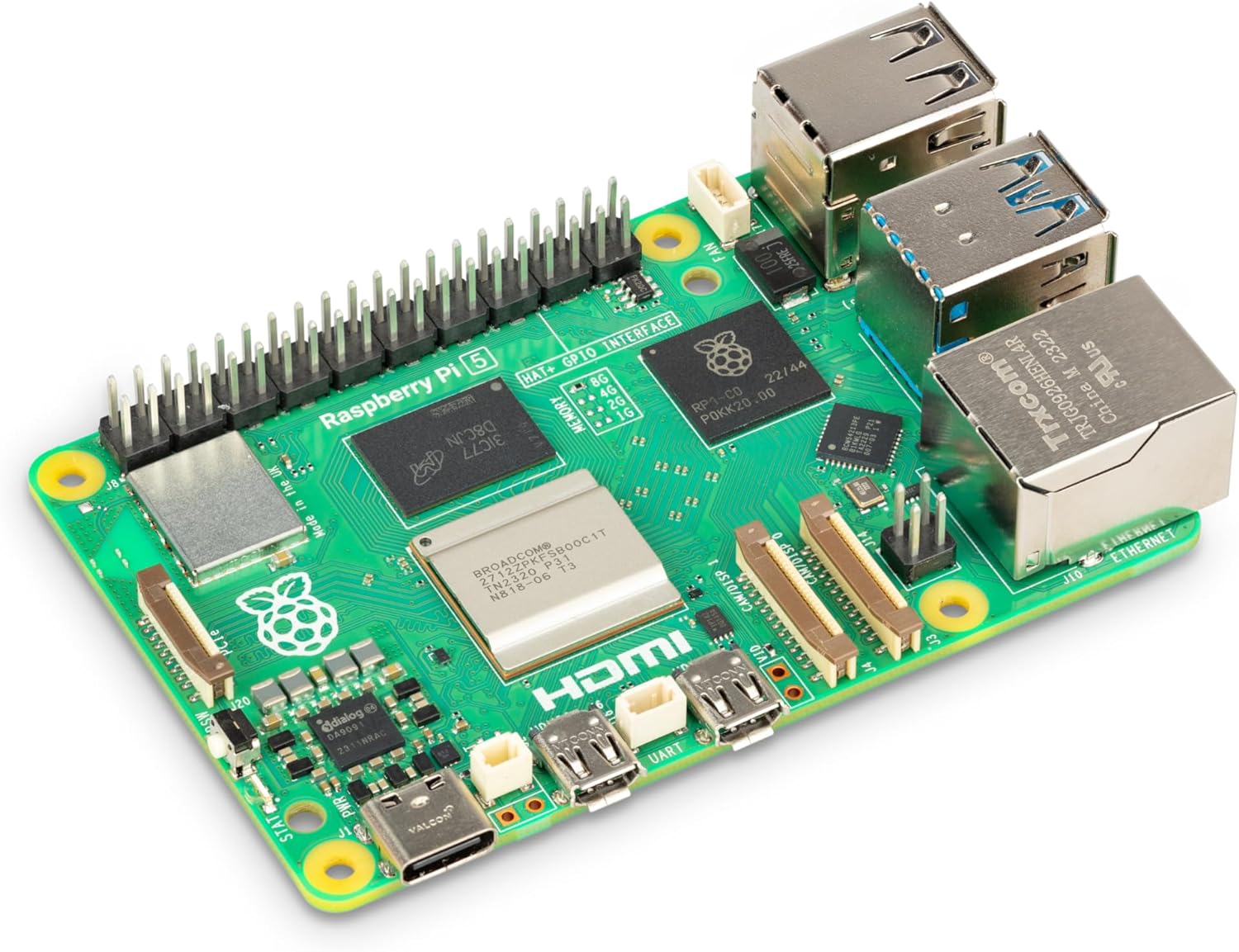
Deploying autonomous agents and AI background automation workflows frequently presents an infrastructure trade-off: paying continuous token fees to proprietary API providers or leaving an energy-hungry desktop workstation running 24/7 with a 150W to 300W idle power draw.
In 2026, the Raspberry Pi 5 (8GB RAM) has emerged as the premier choice among software engineers and systems architects seeking to eliminate this external dependency. Powered by a quad-core 64-bit ARM Cortex-A76 processor clocked at 2.4 GHz, dedicated native PCIe 2.0 connectivity for fast NVMe SSD storage, and an active power consumption ranging from 2.8W in idle to just 9W under heavy inference, it enables a permanent background agent node for less than $1.50 per month in electricity.
This technical guide reviews empirical inference throughput using Ollama, viable quantized open-weight model architectures, and the required hardware build to prevent thermal throttling and storage I/O bottlenecks.
Frequently Asked Questions
Answers to common technical and architectural questions
How much RAM is required to run local AI agents on Raspberry Pi 5?
The 8GB RAM edition is strictly required. While a 4GB version exists, system services, networking, and buffers occupy 1 to 1.5GB, leaving insufficient headroom for modern 3B and 7B LLM context caches. The 8GB variant allows hosting models alongside containerized automation workflows without triggering Out of Memory (OOM) errors.
What inference speed (tokens per second) can you expect?
With 3B parameter models quantized at Q4 (such as Qwen 2.5 Coder 3B or Llama 3.2 3B), the board achieves between 12 and 14 tokens per second, closely matching human reading speed. Heavier 8B models yield approximately 3.5 to 4 tokens/sec, viable for nighttime batch pipelines but too slow for real-time interactive chat.
Is Raspberry Pi 5 better than an x86 Mini PC for 24/7 background agents?
If your primary goals are minimal electricity costs and quiet background tasks (triage, classification, scheduled agents), the Raspberry Pi 5 is unmatched, drawing under 10W under full load. If you require higher throughput with 14B or 32B models, an x86 Mini PC featuring an AMD Ryzen or Intel N100 processor with 16GB or 32GB RAM offers greater raw power at a slightly higher draw (15W to 30W).
6. Real-World Architectural Use Cases for Background Subagents
To understand where a dedicated low-power local node shines in professional production workflows, consider these three automated architectures:
- Autonomous Issue Triager & PR Reviewer: A lightweight daemon polling private GitHub repositories, analyzing incoming pull requests with Qwen 2.5 Coder, checking syntax against style guidelines, and leaving initial feedback comments before human engineers review the code.
- Private Document Semantic Search (RAG): Running a local ChromaDB instance that ingests internal documentation, technical whitepapers, and customer tickets. When an agent queries the database, embeddings are generated locally on the Raspberry Pi without ever sending sensitive data outside the local network.
- Proactive System Health Sentinel: Monitoring server logs, systemd services, and network metrics via lightweight subagents that periodically parse system state and send structured Telegram or Discord alert summaries when unusual patterns emerge.
By keeping agent operations local on low-power hardware, teams retain absolute data privacy, eliminate recurring subscription surprises, and ensure continuous availability regardless of internet connectivity.